 Carlos
Every drive, costed. Early warnings, from your own car.
Carlos logs your drives by itself, shows where the money goes, and watches your car's own readings for the first signs of trouble.
iOS 17 or later. No account. No ads.
Live readings like these come from a Bluetooth OBD adapter. Without one, Carlos still logs every trip and its cost.
₹841
Burned standing still, at signals and in queues.
That's 22% of one owner's fuel in one month. Carlos put a price on it, and pointed out that switching off for waits longer than a minute avoids most of it.
- Spent on the car
- ₹4,799
- Trips
- 66
- Fuel economy
- 8.9 km/L
- Cost per km
- ₹13.4
Every minute the engine runs while the car stands still, in rupees, per trip and per month.
With a Bluetooth OBD adapterSnap the bill. Carlos checks the sums, flags fuel density outside the normal range, and spots a bill for the wrong fuel. Each fill-up keeps the oil company and the station.
The speed where your car went furthest on a litre, what the faster stretches cost, and how long you crawled or held high revs.
With a Bluetooth OBD adapterFuel and tolls for every trip, so you know what a drive to work or a weekend away really costs.
These are one owner's figures from one month, not a promise. Your car and your roads will give different numbers, and Carlos shows you yours.
Small problems, caught while they're small.
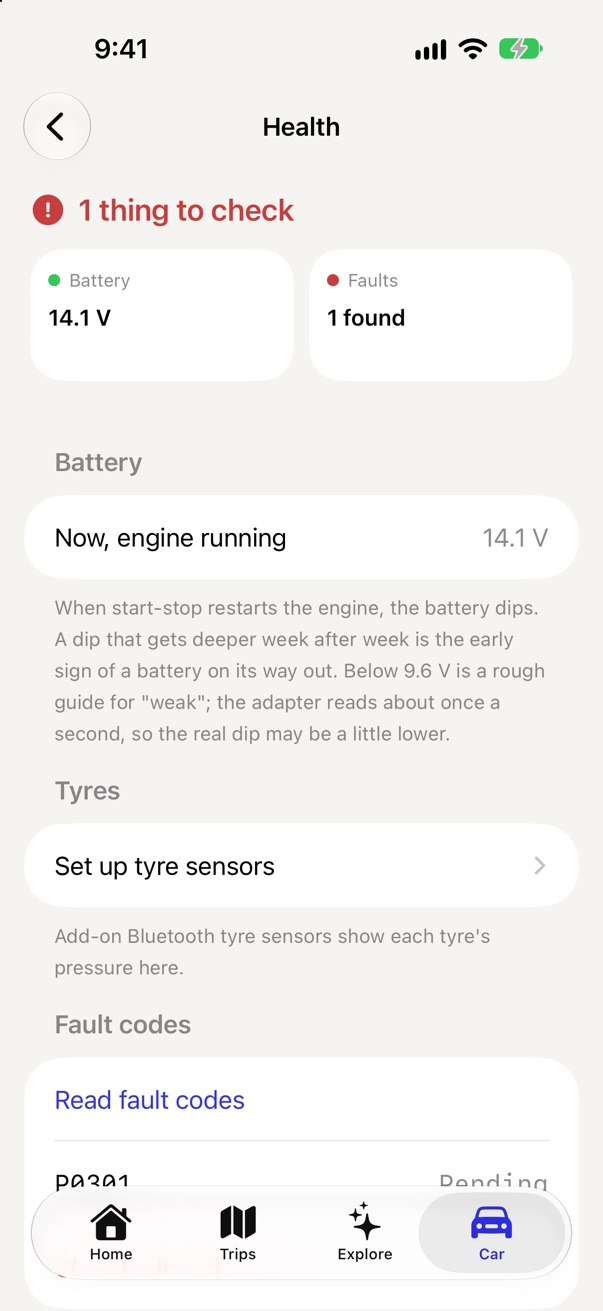
- A battery on its way out
Each time start-stop restarts the engine, the battery dips. Carlos charts that dip trip after trip. When it keeps getting deeper, Health says so, so you can have the battery tested before it leaves you stuck.
With an adapter, in cars with start-stop. Other cars see the voltage and how well it charges while driving. - A slow puncture
One tyre losing air faster than the others, week after week, is flagged before it becomes a flat on the highway.
With Bluetooth tyre sensors, inside the tyre or on the valve caps - A brake that doesn't let go
A wheel that keeps finishing drives hotter than the one across from it can mean a dragging brake. Carlos points it out.
With Bluetooth tyre sensors - An engine running hot
Carlos says it out loud if the coolant reaches 115 °C, so your eyes stay on the road. New drivers also see the engine in words: warming up, normal or running hot.
With a Bluetooth OBD adapter - Fault codes
Read the codes the engine computer has stored or is waiting to confirm. New drivers see which part of the car it's about and what to do; experienced drivers see the codes and can clear them once the fault is fixed.
With a Bluetooth OBD adapter
Just drive. Carlos keeps the log.
With location set to Always, each drive starts and ends on its own, with the phone in your pocket. Route, distance, time and cost.
Snap the pump bill and the litres, price and amount fill in. Carlos keeps an estimate of what's left in the tank between fill-ups.
Paste your FASTag texts and each toll joins the trip it happened on. Set up a Shortcuts automation once and it happens by itself.
Cost, mileage, the route, hard braking and a driving score for each trip. Totals for the week or month, and a map of the roads you drive most.
Low fuel, a long idle, a hot engine and a summary when you switch off, spoken through the car's speakers when it's connected.
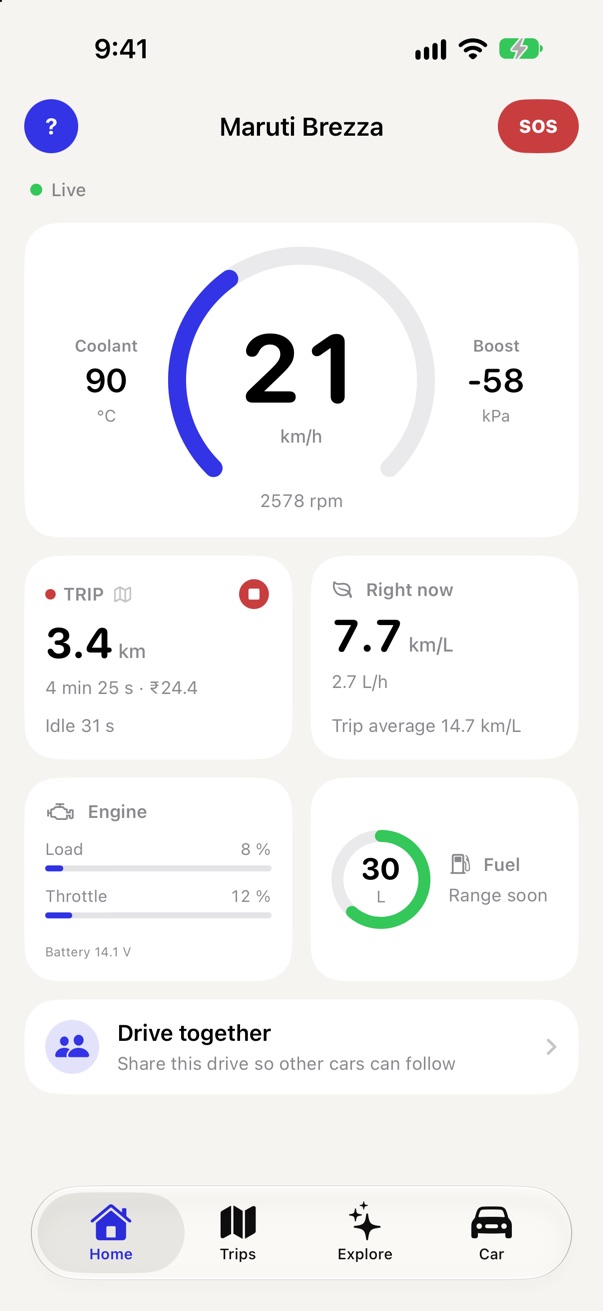
Share a code with friends on a group drive and see each other on the map. More below
Good drives are worth showing off.
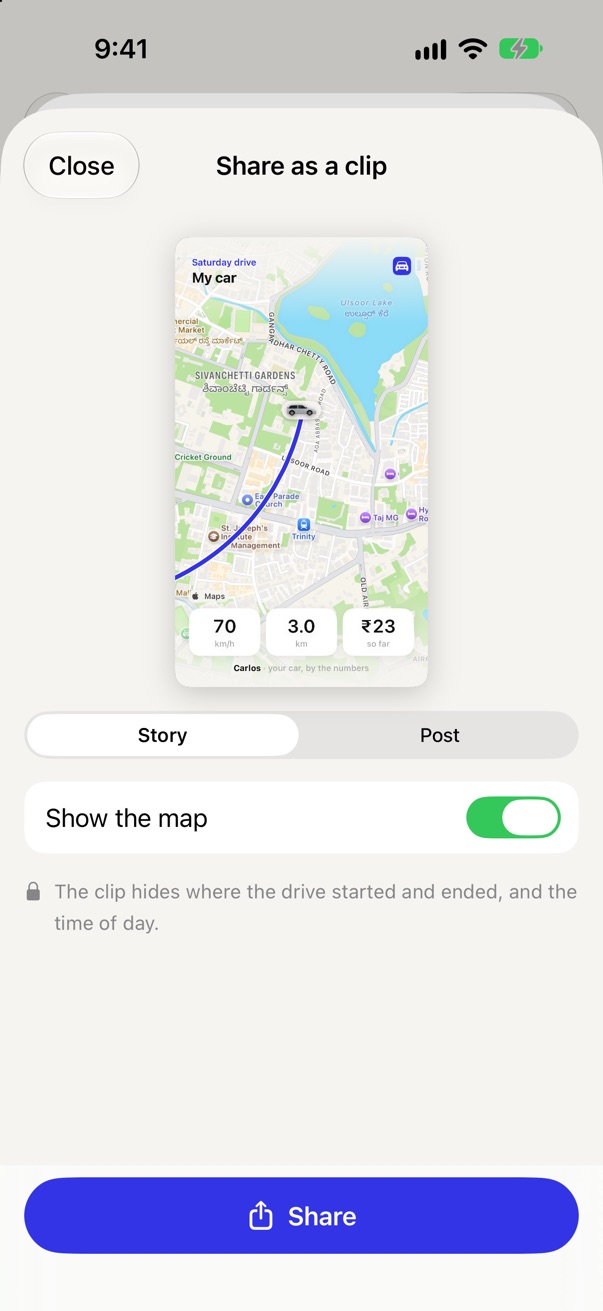
- Replay videoYour drive as a short clip on a moving map, with speed, distance and cost counting up. The first and last 500 m are hidden, so home and work stay private.
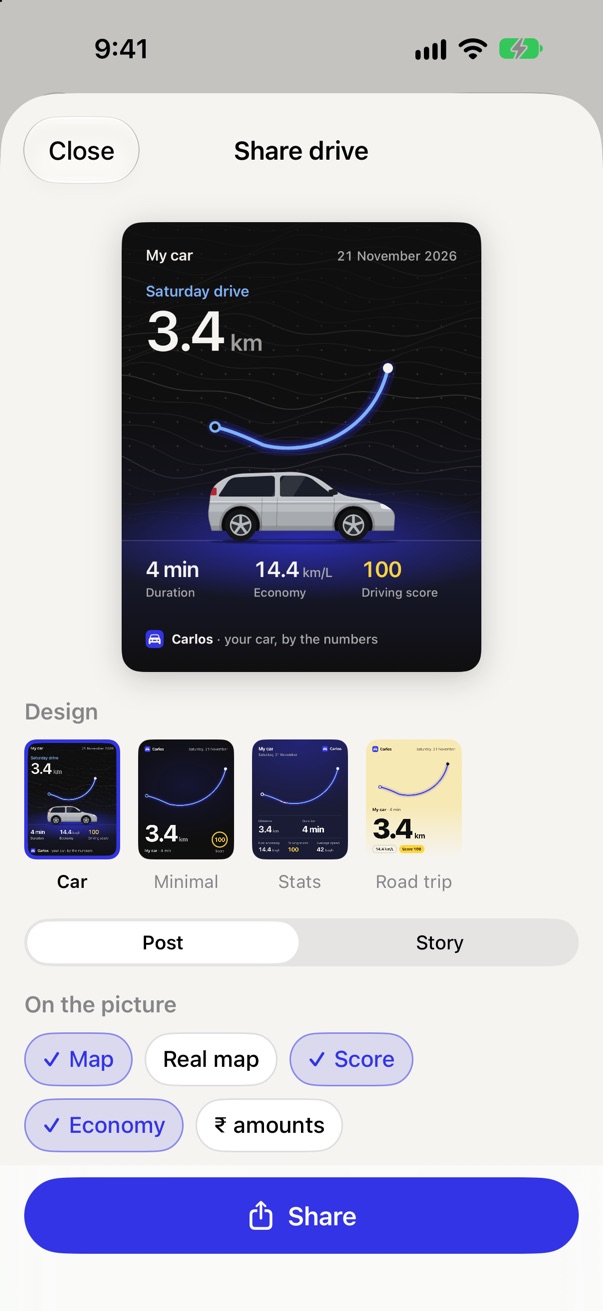
- The driving cardA picture of the drive for Instagram, WhatsApp or X, with your car in its own colour. The route's ends are cut off here too.
- MilestonesYour first 1,000 km, or your hundredth trip, as a picture to post.
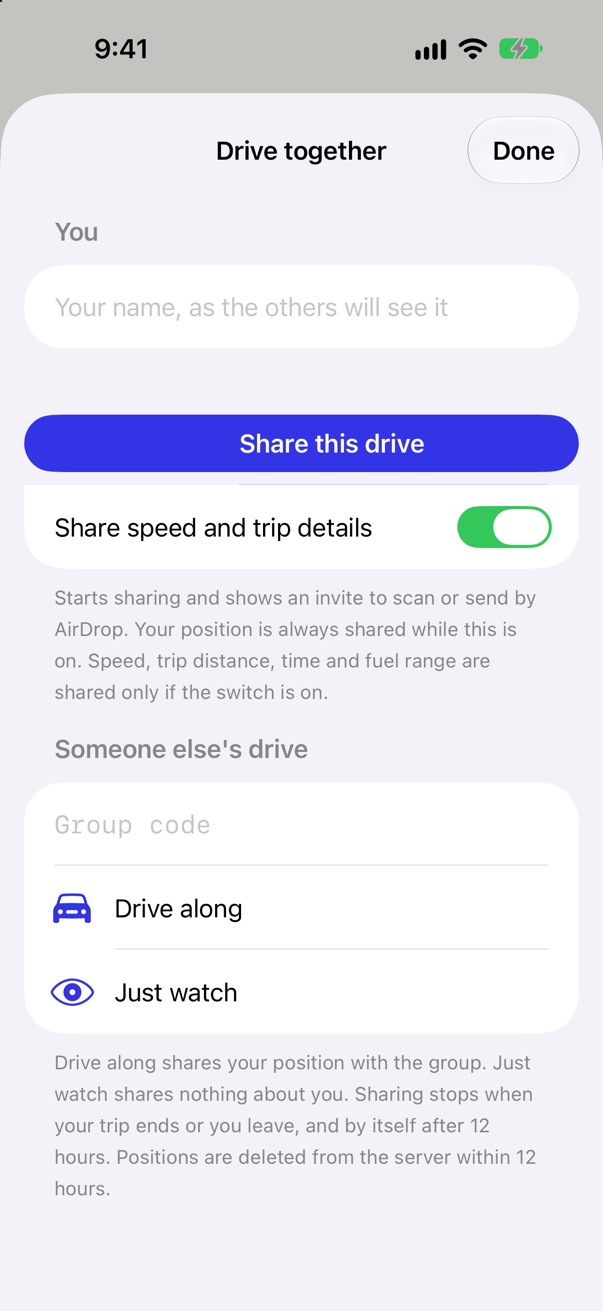
- Drive togetherSend a code or a link. Friends join from their own car, or just follow along, and everyone sees each other on the map.
Read‑
only.
Carlos reads from your car and changes nothing. The one exception is clearing stored fault codes, and only when you tap to do it. It never reprograms or codes anything. When the engine is off, it checks the adapter slowly, so the car's battery isn't drained.
What Carlos reads, with an adapter
- Engine speedrpm
- Road speedkm/h
- Coolant temperature°C
- Engine oil temperature°C
- Intake air temperature°C
- Outside air temperature°C
- Throttle%
- Engine load%
- Air flowg/s
- Manifold pressurekPa
- Air pressurekPa
- Fuel level%
- BatteryV
- Stored fault codesread, clear
Not every car reports all of these. Without an adapter, the phone's GPS gives the route, distance, speed and cost.
Tell Carlos who's driving. Home changes to fit.
Just bought my first carA car check in plain words, and tips from each drive.+
- A car check on HomeHome starts with how the car is doing, in words: the engine warming up, normal or running hot, the battery and the tyres.
- Words, not numbersHealth says what's fine and what needs a look, without volts or psi to decode.
- Fault codes you can act onWhich part of the car a code is about, and what to do next. The code is still there to show a garage.With a Bluetooth OBD adapter
- Tips firstA trip opens on what your driving did well and what to try next time.
Watching my spendWhat every drive costs, and where the money goes.+
- This month's money on HomeThis month's spending, fuel economy and cost per km come to the top.
- Trips open on costFuel, tolls and what the drive cost, before anything else.
- Cost first in the adviceAfter a drive, the advice leads with what could have saved fuel.
Experienced driverThe car's health, with the numbers behind it.+
- Health first on HomeBattery, tyres and fault codes come to the top, with their readings.
- Volts, psi and chartsHealth shows the numbers and how they've moved over time.Most need an adapter or tyre sensors
- Fault codes, by codeSee every code the car has stored and clear them once the fault is fixed.With a Bluetooth OBD adapter
- Engine readings on tripsEach trip adds an engine page alongside cost and route.With a Bluetooth OBD adapter
Car enthusiastEvery gauge, chart and reading the car gives.+
- Everything, everywhereAll of the above, plus the extra gauges and readings the others leave out.
- Mileage at every speedA chart of how far the car went on a litre in each speed band, drive by drive.With a Bluetooth OBD adapter
- The car's own toolsLive data, what your car supports, its control units and a console.With a Bluetooth OBD adapter
Warnings show for everyone, whatever you pick. Want every number anyway? Turn on Show every reading in Profile.
Three steps, then just drive.
- 1Get TestFlight
Install TestFlight from the App Store. It's free and made by Apple, for testing new apps.
- 2Open the beta link
Tap Join the beta on your iPhone. TestFlight opens: tap Accept, then Install.
- 3Allow location, Always
Open Carlos and pick your car. "Always" lets drives log by themselves, even with the phone in your pocket.
Good toknow.
Does it work with my car?
Without an adapter, Carlos works with any car: it logs trips and costs from your phone. With an adapter, it reads the engine of most petrol and diesel cars sold in India in recent years, through the OBD port under the dashboard.
Where do my drives go?
They stay on your iPhone, with a daily backup in your own iCloud Drive that only you can see. There's no account and no ads. Privacy policy
Will it drain my phone?
Carlos uses GPS only while you drive, and stays quiet the rest of the time.
What does it cost?
Nothing during the beta. The adapter, if you want one, is bought separately and is yours to keep.
What happens to my email?
If you leave it, it's used only to tell you when Carlos is on the App Store. Nothing else is asked or stored with it, and you can ask us to delete it at any time. Privacy policy
Is there an Android version?
Not yet. Carlos is iPhone only for now.
How do I send feedback?
Take a screenshot in Carlos and TestFlight offers to send it to us, or write to reach@heycarlos.app.